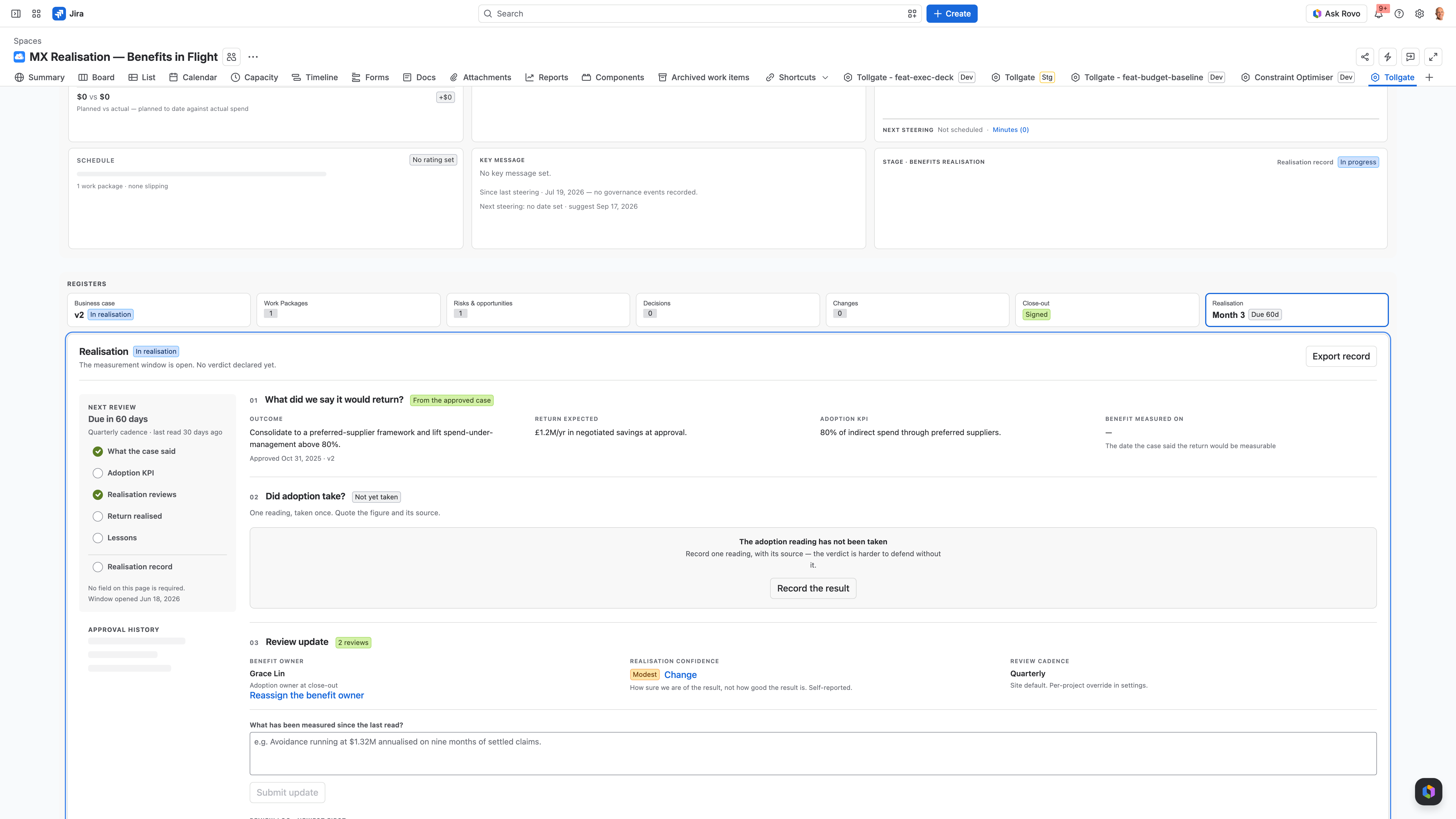
Three roles that present from Tollgate, and what each needs from the dashboard

Each role reads the same scope, schedule, cost, risk and decision picture, and each needs a different answer from it.

PMO / PM

You rebuild the status deck from Confluence, spreadsheets and old slides every reporting cycle.

Read the PMO use case
Sponsor / executive

You answer for scope, schedule and cost at the steering committee, and the numbers have to be current on the day.

Read the sponsor use case
Delivery lead

You approve the install when it needs no new issue types and no new hierarchy.

Read the delivery and admin use case
PMO reporting to the steering committee

How a PMO lead reports to the steering committee from one live dashboard

Scope, schedule, cost, risks and decisions sit in the same Jira project, so nobody rebuilds a deck before each reporting cycle.

Each reporting cycle you rebuild the picture from scratch. The schedule sits in one file, cost in another, risks in Confluence and decisions in meeting minutes. None of these connect, so you connect them by hand, and the picture is out of date before you finish.

Tollgate gives each project one dashboard inside Jira, next to the work, with Cost, Schedule and Scope cards that show your status beside the calculated one. Risks, issues, decisions and scope changes each have a register under the same project. You update it through the week, so the dashboard is current when the meeting starts. The dashboard is the deck, so you present from it.
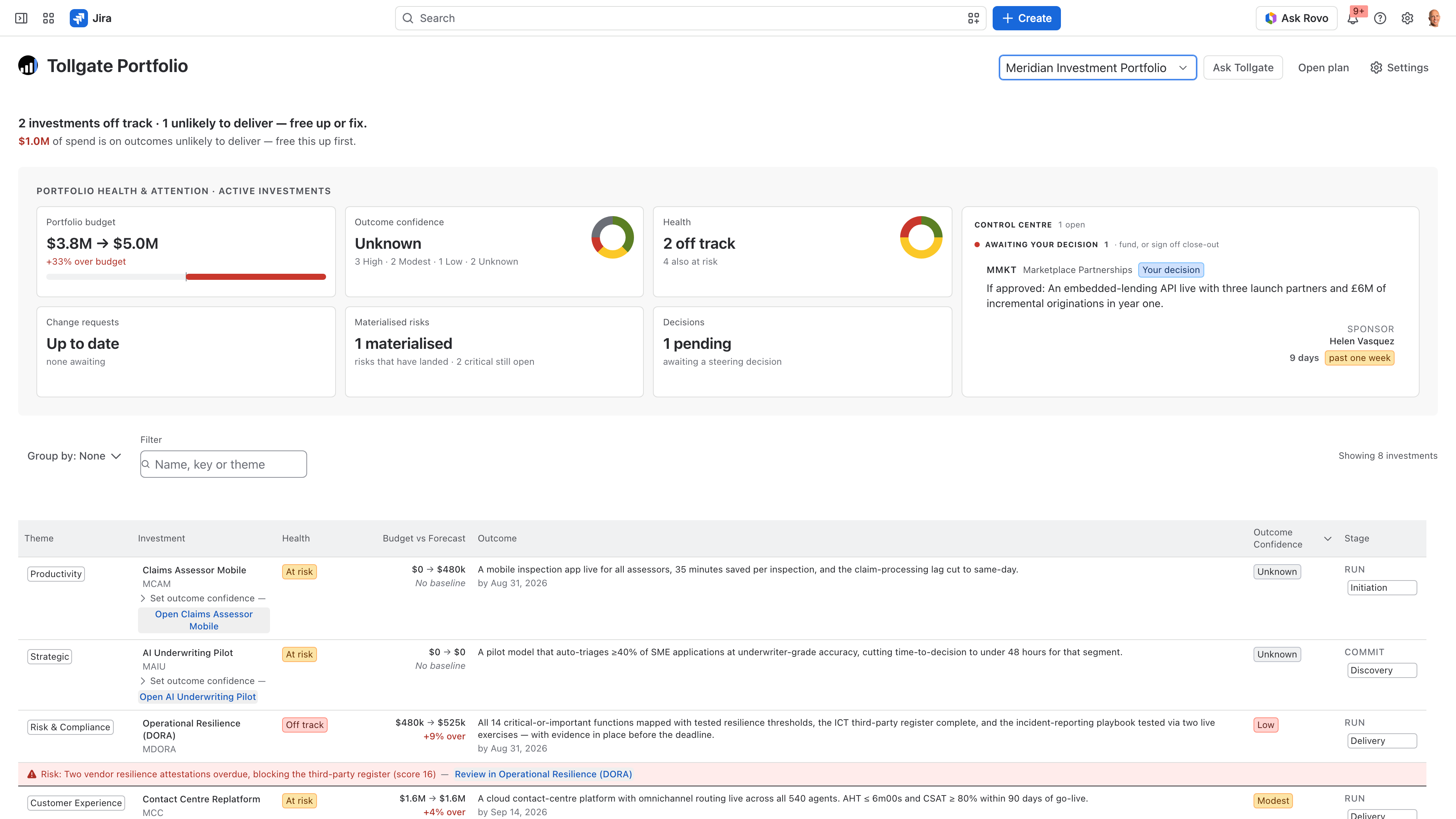
Tollgate Portfolio Health page: every programme's registers and status in one live view inside Jira

How PMO reporting works without Tollgate

Schedule, cost and risk sit in separate files and tools.

The status deck is rebuilt from scratch every reporting cycle.

The same risk or decision has a different version in every file.

Nobody can say when the numbers on the slide were last true.

How PMO reporting works with Tollgate

Scope, schedule, cost, risks and decisions sit in the same Jira project.

The dashboard stays current, so there is no deck to rebuild.

An earned-value or schedule-progress S-curve shows how the work is tracking against plan.

A two-page A4 landscape PDF goes to anyone who isn't in the room.
For delivery leads and Jira admins

How Tollgate installs alongside your existing Jira configuration

Tollgate doesn't need new issue types or a new hierarchy, so your Jira admin has nothing to restructure.

If a reporting tool asks for new parent levels or custom issue types, the restructure lands on your Jira admin and the team has to learn the new setup.

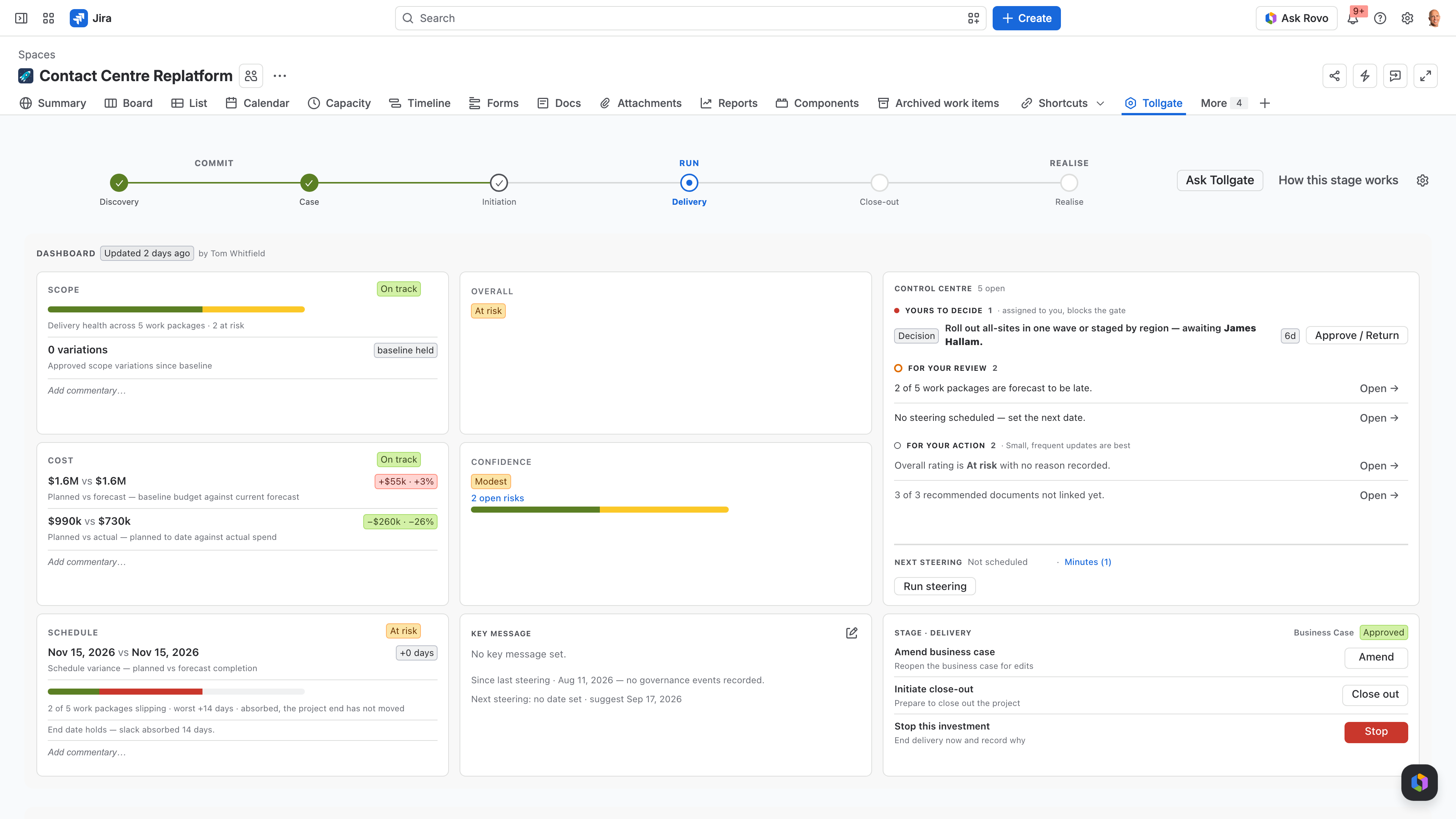
Work packages are records inside Tollgate. You give each one its dates, budget and forecast, then link any Jira work item to it, so the sponsor sees work packages instead of a wall of tickets. Delivery carries on underneath as stories split and sprints slip. Tollgate is a Forge app, so your data stays in your Atlassian tenant.

Tollgate Realisation view: the governance layer sitting above delivery without touching Jira configuration
Use case: mining capital projects

Tracking a mining capital project against its plan

For capital projects where cost and schedule overruns reach the board. Tollgate was piloted with a mining organisation.

A capital project has a budget, a schedule, a set of work packages and a steering committee that wants to know early when either starts to slip. Tollgate holds dates, budget, actual, forecast and percentage complete on each work package, with a timeline and an S-curve, and the project dashboard carries the Cost, Schedule and Scope status. When you keep it updated through the period, the slip shows up in Jira before it reaches the monthly report.

Earned value and S-curve

An earned-value or schedule-progress S-curve compares planned progress with actual progress, so the steering committee sees the trend as well as this period's snapshot.

Dates, budget and forecast on every work package

Each work package carries its own dates, budget, actual, forecast and percentage complete, with a timeline across the project. Scope changes go in their own register.

Risks and decisions under the same project

Risks and opportunities, issues, decisions and scope changes have registers under the same project as the cost and schedule they affect, so you can show the steering committee what was decided.

Use case: portfolio view

A portfolio view across projects, without an enterprise PPM suite

For PMO and portfolio leads running several projects on Jira who need one view of scope, schedule and cost across all of them.

Many portfolios sit between a spreadsheet and an enterprise PPM platform. The spreadsheet can't answer a steering committee's follow-up questions from current data, and an enterprise suite is a separate system to buy and run alongside Jira. Tollgate Portfolio rolls up every project in a Jira Plan. Tollgate is free on Jira sites with 10 users or fewer. Larger sites can try it free during the Marketplace trial, and after that it is priced per user.

Tollgate gives every Jira project a dashboard, a plan and four registers.

Dashboard

The project's status and key message, the brief, and Cost, Schedule and Scope cards with your status beside the calculated one.

Plan

Work packages with dates, budget, actual, forecast and percentage complete, a timeline and an S-curve.

Registers

Risks and opportunities, issues, decisions and scope changes, under the same project.

Bring a real project to a 30-minute demo

We'll set that project up in Tollgate and show you how your next steering committee runs from the dashboard instead of a deck.